The Fence Visualizer: Show Customers Any Fence Style Right in Their Own Yard
Transform your website, social media, ads, or even print materials into lead-generating machines for your fence business. Every visualization sends the potential customer's name, phone, and email straight into your CRM system.
New submission · Thu, 7:12 PM
Renata Vasquez · 6 ft white vinyl
Auto-text sent · 7:12 PM
7:19 PM · “Saturday morning works.”
Estimate booked · Sat, 9:00 AM
On your calendar, render attached
Captured with the render
In your CRMYou never touched it. She booked herself.
Fence Visualizer
Your customers upload a photo of their yard, they select the fence style, and it renders in seconds right on their property. Bring it to an on-site estimate to turn unsure customers into confident buyers.
Custom Built & Branded
Your company name, your colors, your fence styles: customers see your brand, not ours
Custom Style Library
Choose the fence styles you actually sell, and we integrate them into your visualizer
24/7 Lead Machine
Turn your website, social media, ads, or print materials into lead-generating machines
Syncs Straight to the FenceFaster CRM
Every visualization generates a lead and lands in the FenceFaster CRM automatically. Already run a CRM? We connect it to that instead
Every Visualization Captures a Lead
Name, phone, and email, synced to your CRM system automatically.
Fence Visualizer Pricing for Contractors
Add the Fence Visualizer to your sales process. Show homeowners what their fence looks like before you build it, and close the job on the first visit.
Contractor
Regular price $299/mo
$149/mo
Limited at this price
Only 4 spots left at $149
Price returns to $299 once these fill. The plan itself is always available.
- No per-lead fees, ever
- The leads are yours, even if you cancel
- Embed it on your site, or run it as a standalone link
- Works on any phone or tablet, no app download
- Connects to your CRM system and Quote Generator
- Instant text alert the moment a lead comes in
- Ongoing updates and support
We build it, brand it, and integrate it for you. Cancel anytime.
Enterprise
Contact for Pricing
Custom volume
- Everything in the Contractor plan
- Run multiple locations or brands from one account
- Cross-location analytics and reporting
- Logins for your whole sales team
Built for high-volume fence businesses.
DIY fence project? One-time use from $4.99. No subscription needed · 2, 3, or 5 visualizations · See your fence before you buy. See the DIY Fence Visualizer
How the Fence Visualizer Works for Contractors
Customers upload their name, phone, email, and a photo of their yard, then:
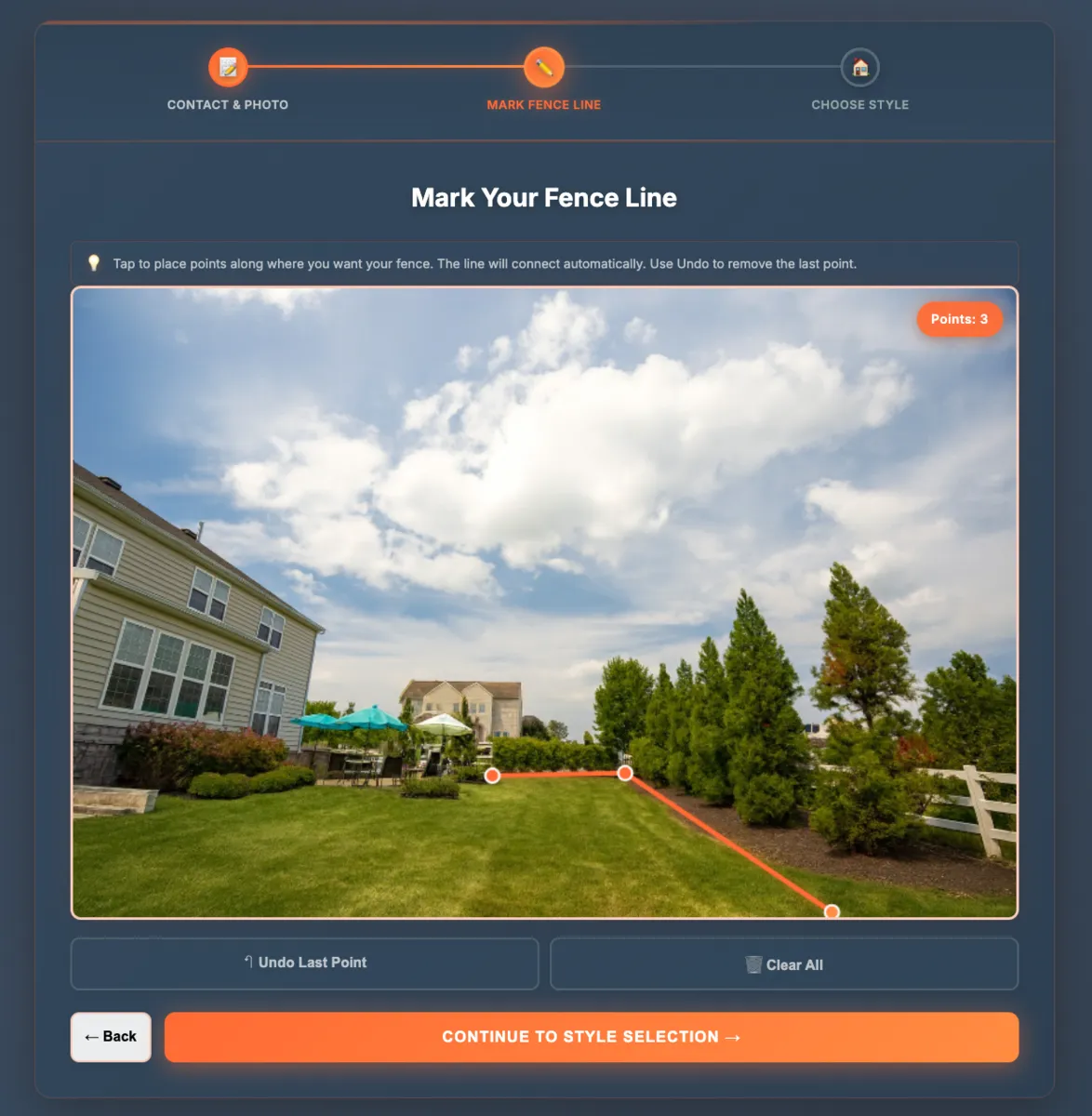
Snap the Yard Photo
On-site or from a customer-submitted photo: upload and mark the fence line
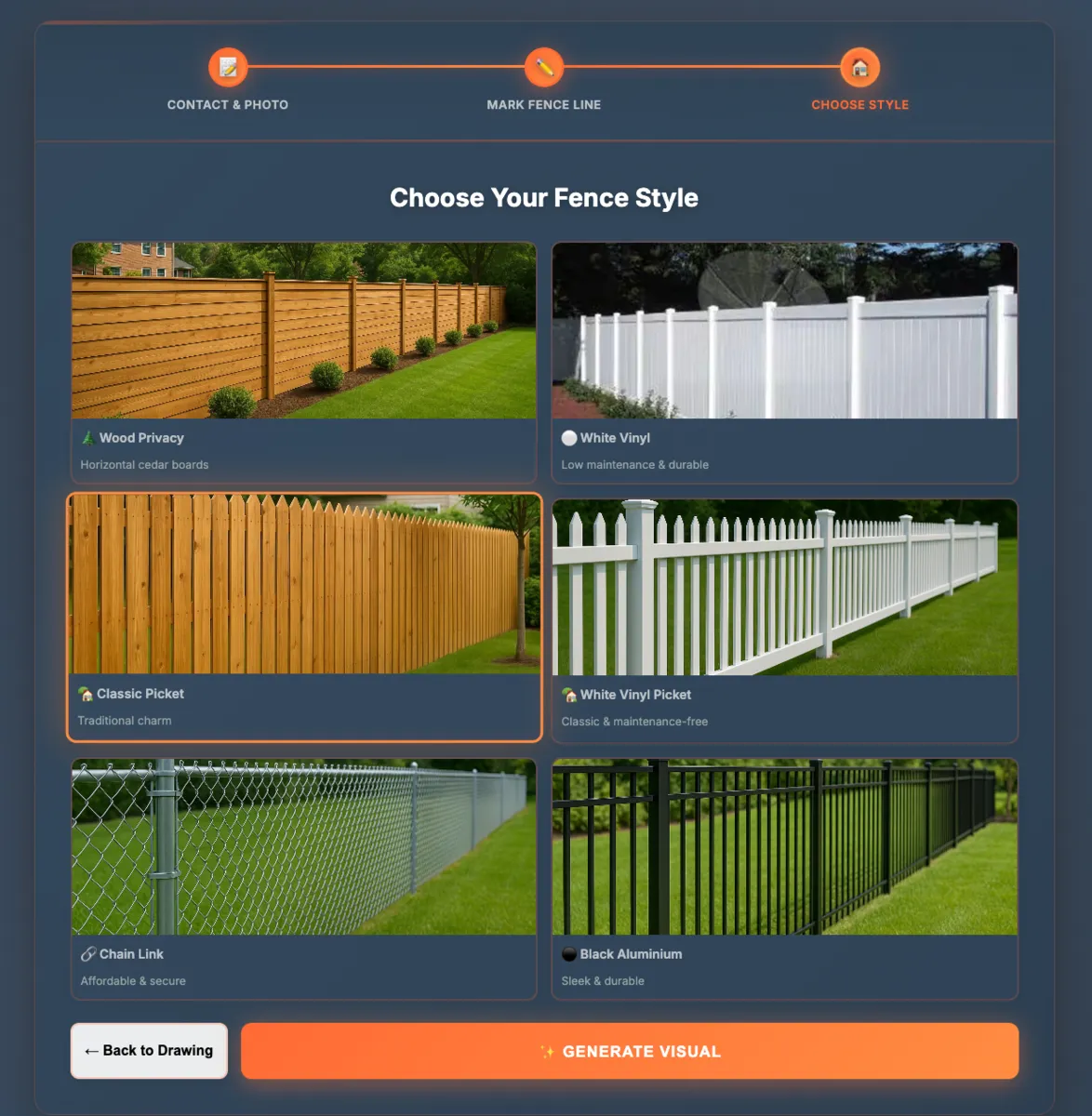
Select from Your Styles
Choose from the fence styles you actually sell, your custom inventory
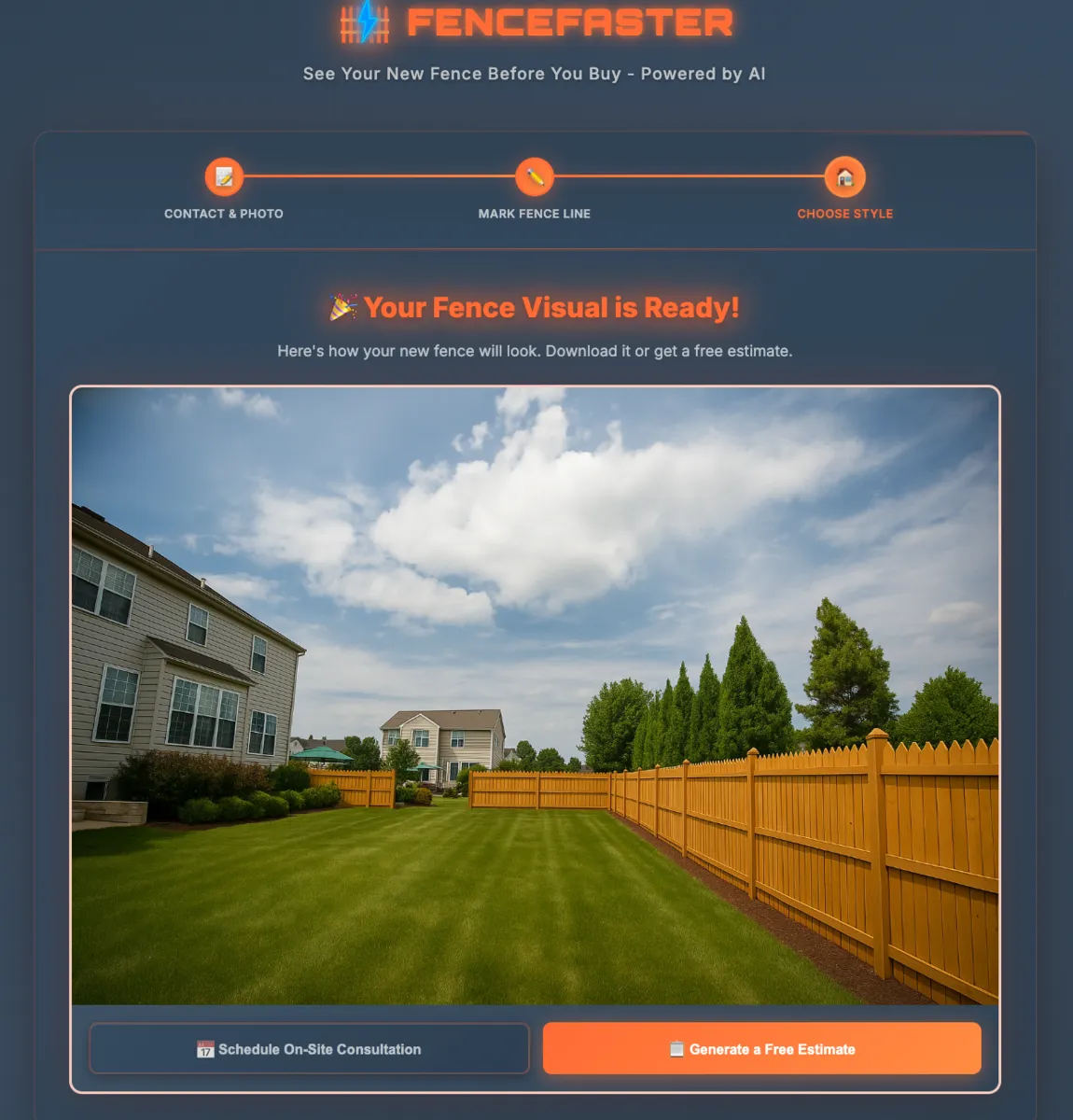
Show the Customer & Close
Turn your phone around and show them their fence, then close the job
What the Fence Visualizer Is
The FenceFaster Fence Visualizer is an AI tool that shows a fence on a photo of a real yard before any of it is built. A homeowner uploads a picture of their yard, a fence style is chosen from the business's own library, and the AI renders that fence onto the photo in seconds. It is not augmented reality and needs no app download: it works from an ordinary photo in a web browser.
For a fence contractor, the visualizer is also a lead-generation tool. It embeds on a website, social profile, ad, or QR code, and every rendered visualization is delivered in exchange for a name, phone, and email, so a browsing visitor becomes a named lead with their project attached. The contractor owns those leads, and they sync to the CRM system automatically. Fencing supply companies use the same tool to a different end, helping showroom and website shoppers picture materials before they buy.
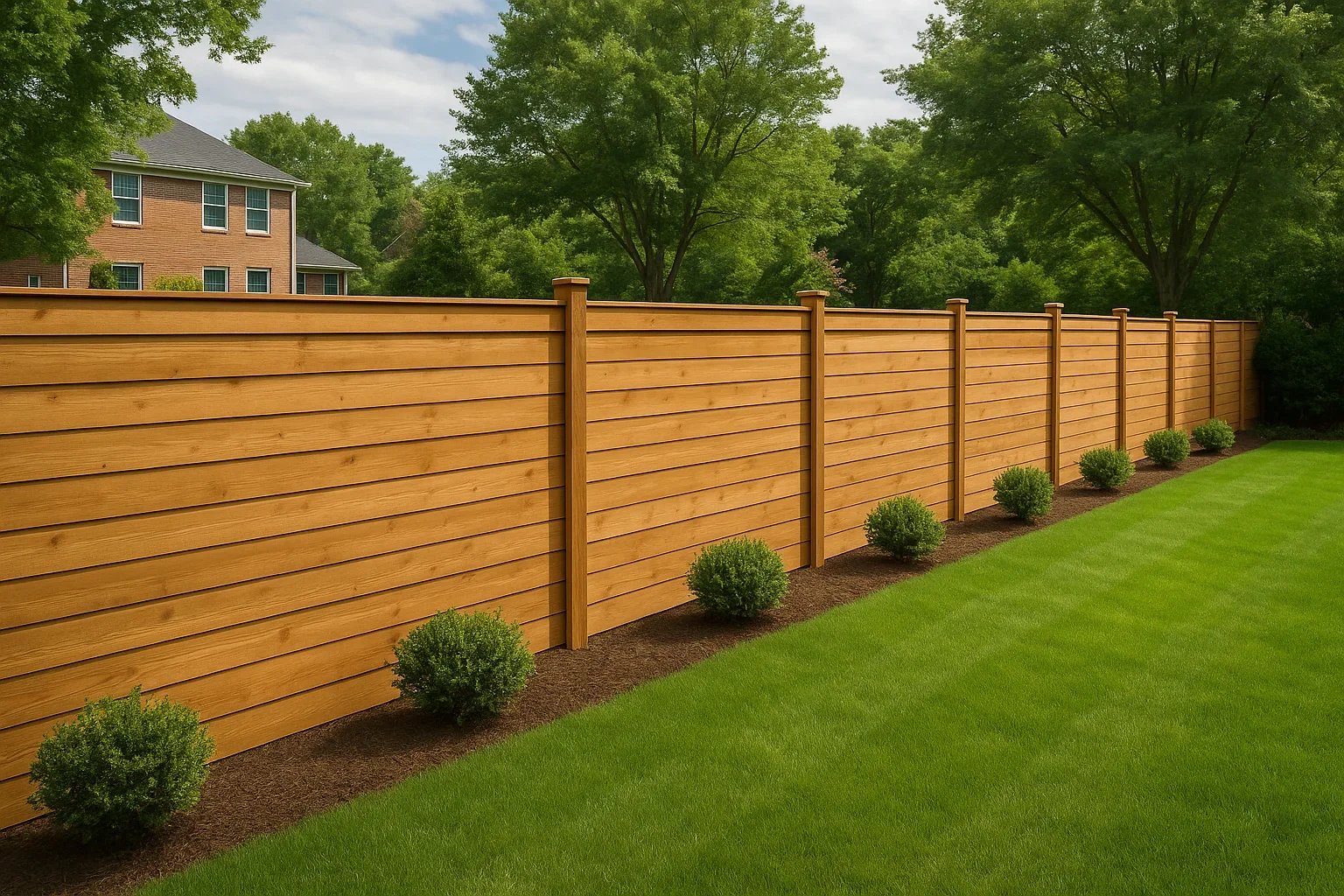
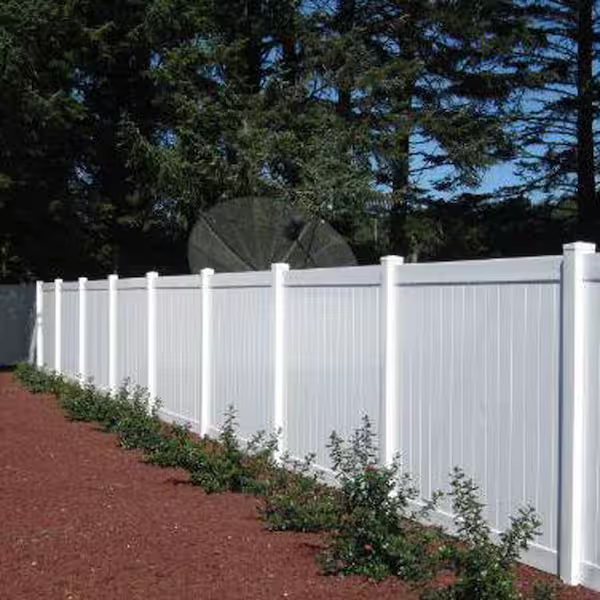
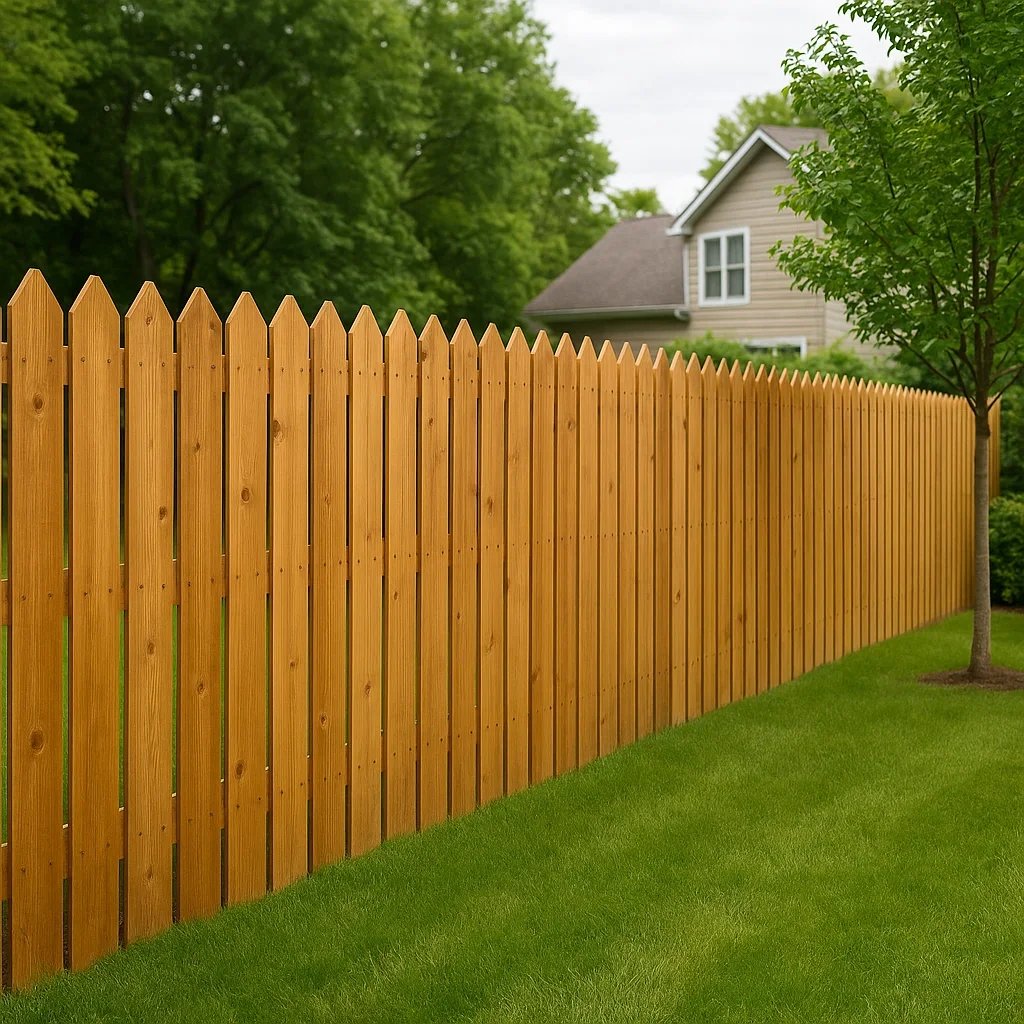
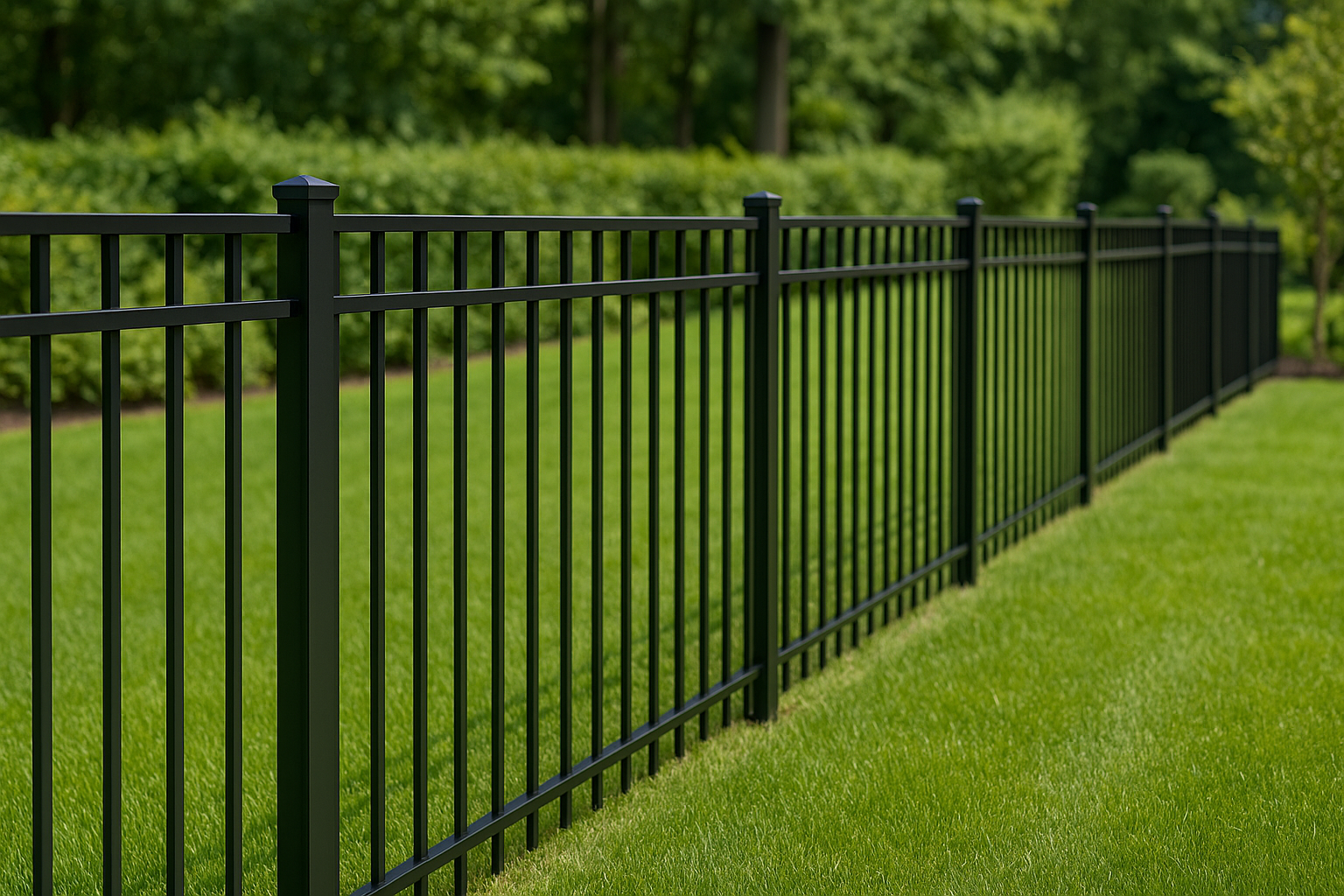
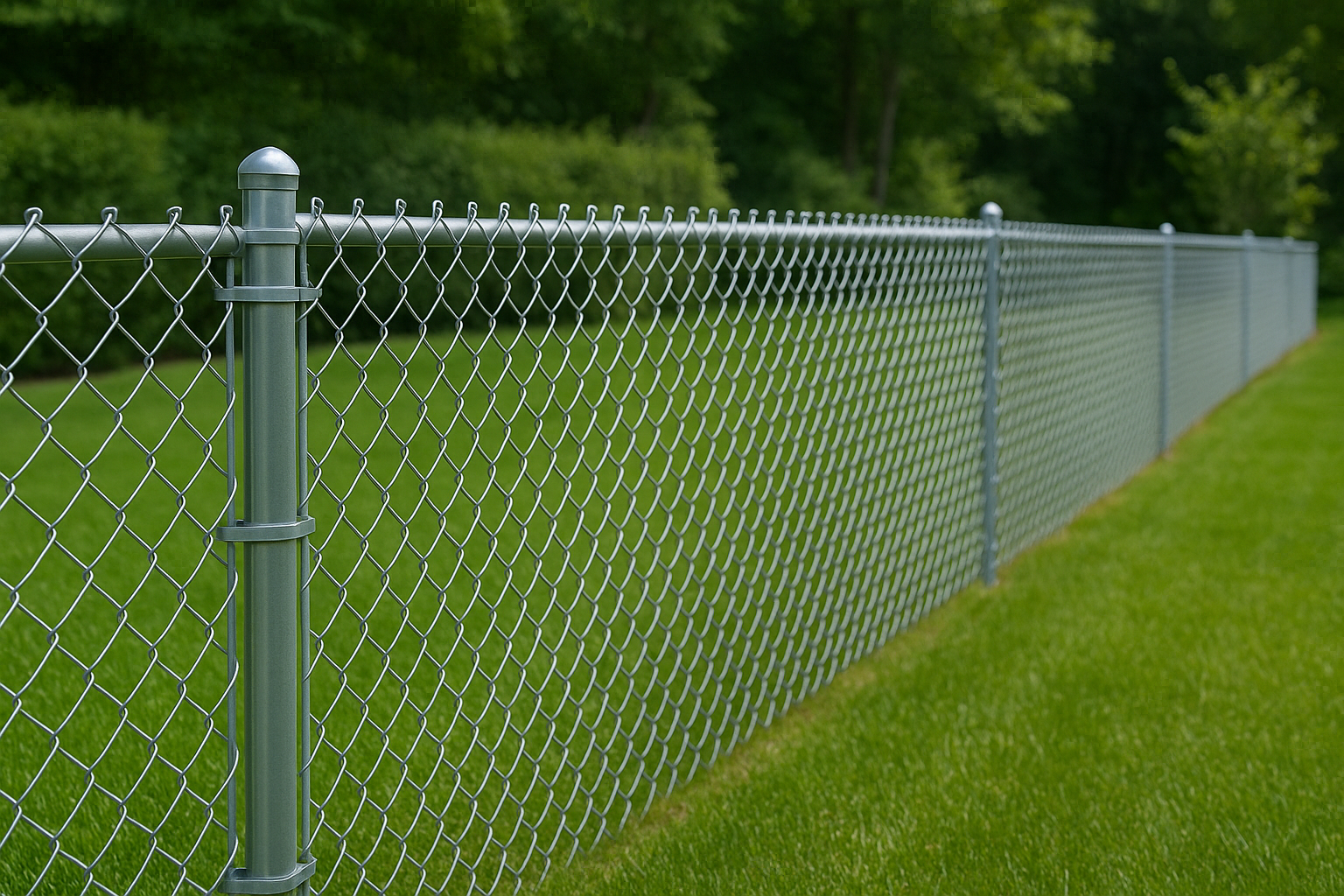
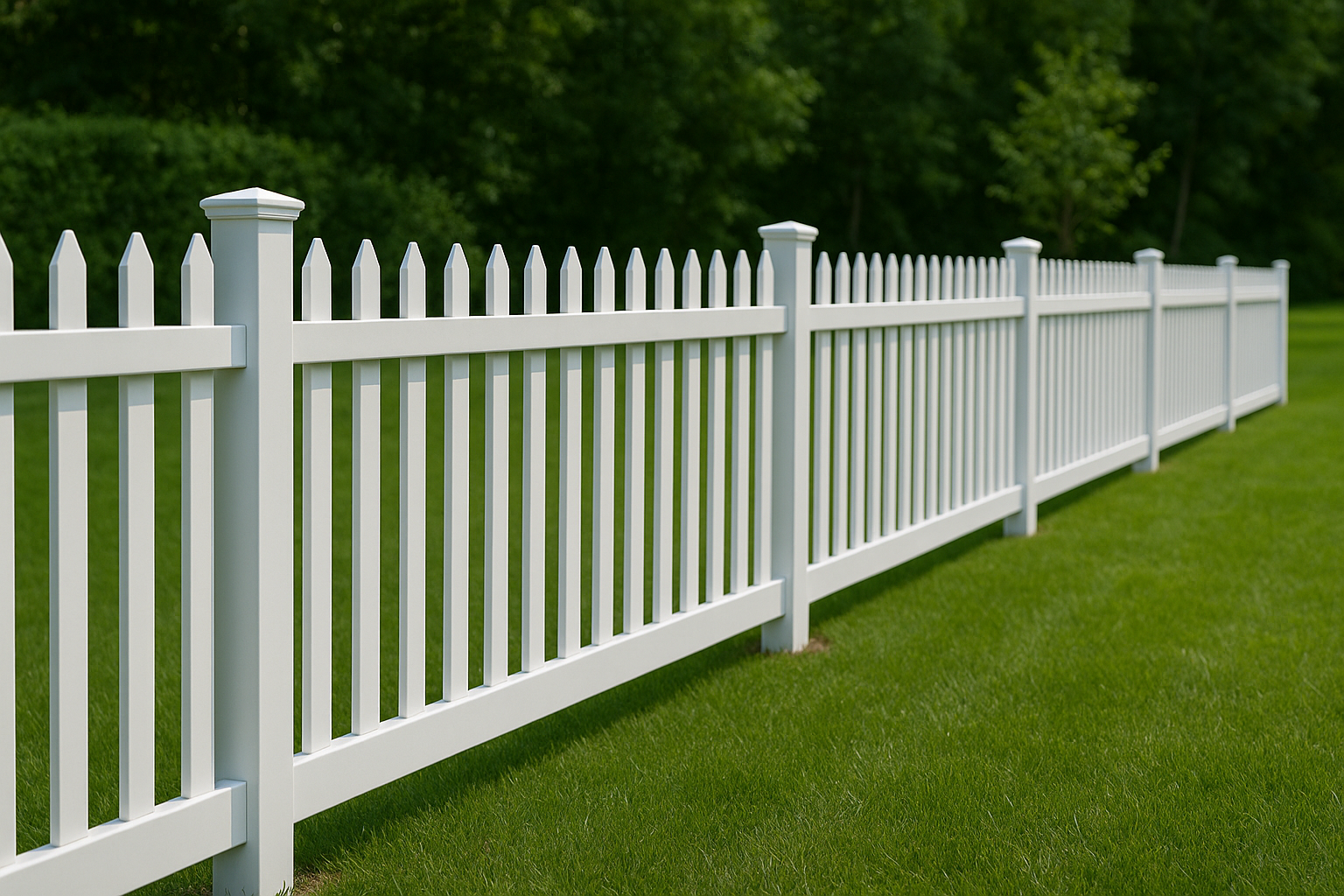
Your style library
Stocked with the styles you install. Customers only ever see fences you can actually build.
A sample of what we load in
Who the Fence Visualizer Is For
Fence Contractors
Companies that install fences and want their website, social media, and ads to capture leads instead of just describing the work. The visualizer is branded to your business and loaded with the styles you sell.
Fencing Suppliers
Local and regional fence supply companies selling materials to homeowners and contractors alike. Put the visualizer on a showroom tablet or your website and a customer can see the fence standing in their own yard before they buy the materials, an experience the big-box stores can't offer.
Homeowners Planning a Project
Individuals who want to see a fence in their own yard before committing. The one-time DIY Fence Visualizer serves this without a contractor subscription.
Where to Use the Fence Visualizer for Lead Generation
Every visualization generates a lead. The customer's contact info, yard photo, chosen fence style, and rendering all flow directly into your CRM system. No manual entry. Your sales team sees the lead with full context (what style they liked, what their yard looks like) and can follow up with a quote immediately.
24/7 Lead Generation
Homeowners find the visualizer on your website, your social media, or your other marketing, fall in love with a style, and request a quote, all while you sleep.
Your Brand, Our Technology
Custom-built embed built to your brand name and colors. Your customers see your company, not FenceFaster.
Visualizer → Quote → CRM System
One integration, three functions. Lead enters your CRM system automatically with a quote estimate attached.
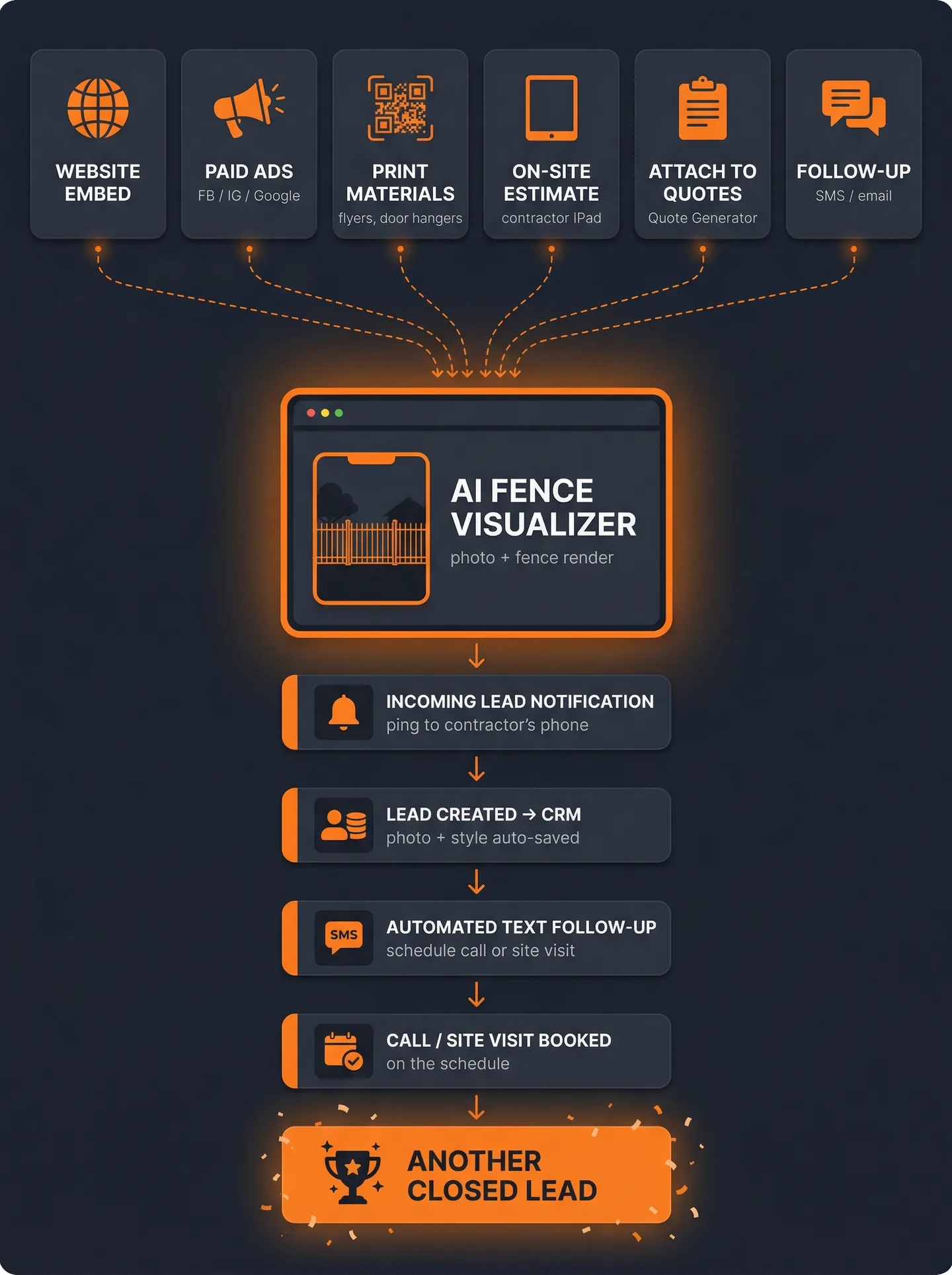
Paid Ads
Run paid traffic directly to the Fence Visualizer. Homeowners interact with the tool, submit their info, and drop straight into your pipeline, no landing page needed.
Door Hangers with QR Code
Hit target neighborhoods and the doors of neighbors surrounding every job you complete. A homeowner scans the QR code from their driveway, uploads a yard photo, and you have a lead before you're back in your truck.
Flyers & Direct Mail
Include a QR code on any printed material: mailers, flyers, yard signs. Give homeowners a reason to scan it: “See your new fence before you buy.”
Website Embed
Embed it directly on your site as an interactive widget. Visitors who might have bounced instead design their fence and submit their info to see the result.
On-Site Estimates
Pull it up on your iPad or leave a QR code for the customer. Let the homeowner pick a style and watch the AI render it on their actual yard in real-time. Closes deals on the spot.
Follow-Up Campaigns
Re-engage cold leads by texting or emailing the Fence Visualizer link. “Want to see what a new fence would look like in your yard? It renders in seconds.” Far more effective than a generic follow-up.
For Fencing Suppliers: Turn Browsers Into Buyers
Fencing supply companies live and die on whether a browsing customer commits. A homeowner weighing wood against vinyl, or a contractor picking a style for a client, stalls on the one thing a rack of samples can't answer: what it actually looks like on the property. The Fence Visualizer answers it. Branded to your company and running on a showroom tablet or your website, it renders any style you stock onto a photo of the customer's own yard in seconds, so the decision stops being a guess and the sale stops stalling.
Showroom and Website
Run it on a tablet or kiosk at the counter and embed the same tool on your website. Walk-in and online shoppers both get to see the fence on their yard, wherever they start.
Sell More Material
A customer who can't picture the fence keeps shopping. Once they see wood, vinyl, or aluminum standing in their own yard, the choice is concrete and the material goes in the cart.
An Edge Big-Box Can't Match
The national chains sell the same panels you do and compete on price alone. Showing a customer their own yard, rendered in seconds under your brand, is an experience Home Depot and Lowe's don't offer.
Every visualization also captures the shopper's name, phone, and email, so an undecided customer becomes someone you can follow up with instead of someone who walked out. It runs on the same Fence Visualizer plan, and multi-location suppliers can ask about Enterprise pricing.
How AI Fence Visualization Works
FenceFaster uses generative AI to render every major fence material onto a real yard. When a homeowner uploads a yard photo, the system analyzes the property layout, identifies the ground plane and property boundaries, and renders a fence that matches the perspective, lighting, and scale of the original image.
The output is a photo-realistic composite, not a 3D model or a generic overlay. The fence looks like it belongs in the yard because the AI accounts for shadows, grass line, and depth of field. The result is something a homeowner can show to their spouse, their HOA, or their neighbor and get buy-in before a single post goes in the ground.
Giving a visitor something to interact with is what turns them into a lead. In a controlled A/B test, one company found that replacing a static form with an interactive, multi-step version produced 61% more completed quote requests. A visualizer is that principle applied to fencing: instead of asking a stranger to fill out a form for nothing, you give them something they actually want, and the contact info comes with it.
Source: Conversion Sciences, A/B test of a static form against an interactive multi-step form. Single-company result, not an industry benchmark.
Each contractor gets a custom style library built from the fence types they actually install. If you sell six styles, those six styles are what your customers see. No generic stock options that you cannot build.
The rendering engine processes each visualization in seconds. Contractors using it on-site can show a homeowner three or four different styles during a single estimate appointment. Contractors using the website embed capture leads 24/7 without lifting a finger.
Mobile Fence Visualization: Use It On-Site During Estimates
FenceFaster works in any mobile browser, no app store download. Open fencefaster.io on your phone or tablet, upload a photo you just took, and show the homeowner what their fence looks like while you're standing in their yard.
The On-Site Workflow
- 1Arrive at the customer's property
- 2Snap a photo of the yard
- 3Open FenceFaster on your phone or tablet
- 4Upload and select a fence style
- 5Turn the screen around and show the homeowner
- 6They pick a style, generate a quote on the spot
- 7Close the job. One visit.
Phone vs. Tablet
- Phone
- Faster for on-site snap-and-show demos. Always in your pocket.
- Tablet (iPad)
- Bigger screen for sit-down sales presentations. Better for showing side-by-side comparisons.
Both work with FenceFaster. Use your phone on-site, tablet for kitchen-table presentations.
Same-day quote → closed job. The contractor who sends a quote same-day closes more often than the one who sends it 3 days later. Mobile visualization makes same-day quoting possible: everything happens on your phone or tablet at the customer's property.
AR Fence Apps vs. AI Fence Visualization: Which Closes More Jobs?
AR fence apps let you point your phone camera at a yard and see a fence overlaid in real time. Cool tech. But the reality: it requires being on-site, depends on lighting, styles are limited, and it only works on AR-capable smartphones. It's a demo, not a decision-making tool.
AR Approach (Typical AR Fence App)
- Requires being on-site with the customer
- Depends on lighting and camera quality
- Limited style library
- App download and an AR-capable phone required
- Results are ephemeral, can't save easily
AI Photo Rendering (FenceFaster)
- Works from the office, no site visit needed for initial visualization
- Consistent quality regardless of lighting
- Full style library: every material and color
- Any device, any browser, no download
- Save, share, and use for follow-up presentations
Practical AI beats flashy AR. For a contractor doing 5-10 estimates per week, the photo approach saves hours.
Frequently Asked Questions
How much does FenceFaster cost for contractors?
FenceFaster's contractor plan is $149/month, an intro rate while the last 4 seats remain. After those fill, the price returns to the $299 list rate. The plan itself is always available. You pick the fence styles you sell and we build them into a custom embed with your brand and colors, which can connect to your CRM system and quote generator. Enterprise plans (everything in the Contractor plan, multiple locations or brands, cross-location analytics, and logins for your sales team) are available with custom pricing. Cancel anytime.
What is the ROI of a fence visualization tool?
The contractor plan is $149/month at the intro rate ($299 list), and the return depends on your own job sizes and close rate, so run the math on your numbers rather than ours. What the tool does is fixed: every visualization captures a lead (name, phone, email, the yard photo, and the style they picked) and syncs it to your CRM system, it renders in seconds, it works in any browser with no app download, and it keeps capturing leads 24/7 whether or not you are at a desk.
Where can I put the fence visualizer?
The Fence Visualizer goes on your website, your social media, or any other marketing you run. FenceFaster provides a custom-built embed that looks like your own tool: your brand name, your colors, your fence style library. It drops onto your site as a widget, and it also runs as a standalone link, so it works from a paid ad, an Instagram bio, a Google Business Profile, or a QR code on a door hanger. Homeowners think they're using your company's proprietary technology, and every render sends a lead into your CRM system.
Does FenceFaster work on mobile in the field?
Yes. FenceFaster works in any mobile browser, no app download needed. The on-site workflow: arrive at the property, snap a yard photo, open FenceFaster on your phone, upload and select a fence style, turn your phone around and show the homeowner. Use your phone for quick on-site demos, tablet for sit-down kitchen-table presentations.
How does the custom-built branding work?
When you sign up, we set up your visualizer with your company name, logo, colors, and the specific fence styles you sell. Your customers never see FenceFaster branding. The embed goes on your website, your social media, or wherever else you market, and it generates leads directly into your pipeline.
Is AR or AI visualization better for fence sales?
AI photo rendering (FenceFaster) is more practical for sales than AR. AR requires being on-site, depends on lighting, has limited styles, and only works on iOS. FenceFaster works from the office or on-site, produces consistent quality, offers a full style library, and runs on any device.
Can I choose which fence styles appear in my visualizer?
Yes. You select the fence styles you actually install, and we build them into your custom style library. If your catalog is wider than most, we build those in too. Only show customers what you can actually build.
Can a fencing supply company use the Fence Visualizer?
Yes. Fencing supply companies use the Fence Visualizer as a decision-support tool on a showroom tablet or their website. A customer picks a style you stock and sees it rendered on a photo of their own yard, which turns an undecided browser into a material sale. It is branded to your company, and it captures the shopper's name, phone, and email for follow-up.
How is the visualizer different for suppliers and contractors?
For a fence contractor, the Fence Visualizer is a lead-generation tool that captures a named lead from website or social traffic. For a fencing supplier, it is a decision-support tool that drives material sales, running in the showroom and on the website so a shopper can picture the fence before buying the materials. It is the same tool branded to your company either way; the difference is what it closes.
Stop Describing. Start Showing.
Your competitors hand over a paper quote. You show the homeowner their fence on their actual yard, and close the job before they leave.
Contractor $149/mo intro rate, $299 list · Enterprise: contact for pricing
Planning your own project? See the DIY Fence Visualizer
See How It Works for Your Fence Company
Book a free 15-minute call. We will walk through your current pipeline, show you how the tools work with your pricing and brand, and build a plan to start capturing leads in two weeks.
No setup headaches, we build it for you. No pressure, no pitch.